Day 9💻
C Quickstart
Let's create our first C file.
Open Codeblocks and go to File > New > Empty File.
Write the following C code and save the file as myfirstprogram.c (File > Save File as):
myfirstprogram.c
#include <stdio.h>
int main() {
printf("Hello World!");
return 0;
}
Don't worry if you don't understand the code above - we will discuss it in detail in later chapters. For now, focus on how to run the code.
In Codeblocks, it should look like this:
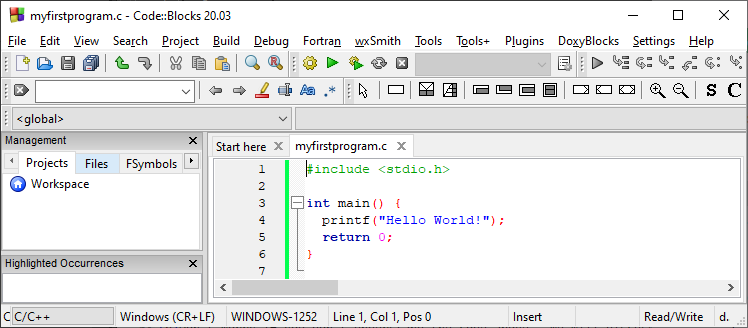 Then, go to Build > Build and Run to run (execute) the program. The result will look something to this:
Hello World!
Process returned 0 (0x0) execution time : 0.011 s
Press any key to continue.
Congratulations! You have now written and executed your first C program.
Learning C At W3Schools
When learning C at W3Schools.com, you can use our "Try it Yourself" tool, which shows both the code and the result. It is used to write, run, and test code right in your browser:
myfirstprogram.c
Code:
#include <stdio.h>
int main() {
printf("Hello World!");
return 0;
}


Comments
Post a Comment